

BetArctica Casino App
A smartphone lets you access BetArctica Casino without being tied to a computer: browse game categories, use the search function, log in to your account and check your personal settings. The responsive website adjusts its menus and game cards to smaller screens, while browser access is available on Android and iOS. Below, you can find out how to get started, navigate the mobile lobby and manage your account from your phone without unnecessary steps.
Everything You Need on a Compact Screen
In the BetArctica Casino mobile interface, the main functions revolve around navigation, game categories and account management. The menu is easy to open with a tap, while game cards and vertical scrolling replace wide lists. The appearance of individual elements depends on the browser and screen size, but the process remains straightforward: choose a category first, then select a particular game or account feature.
| Feature | Mobile Capabilities |
|---|---|
| Access | Open the website through an Android or iOS browser |
| Navigation | Compact menu, categories and search by name |
| Game Lobby | Slots, Live Casino, Table Games and fast-paced formats |
| Account | Login, balance, settings and activity history |
| Cashier | View available payment methods and transaction statuses |
BetArctica Casino App: What You Should Know About Installation
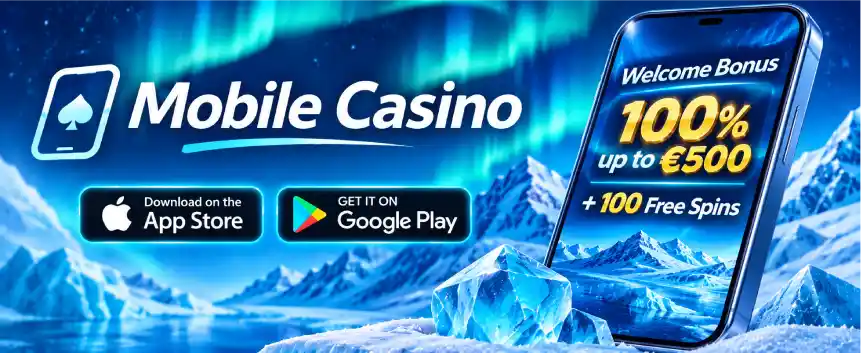
The mobile casino promotional material features App Store and Google Play icons, but the banner itself does not confirm that official applications are available in these stores. Therefore, BetArctica Casino App should be regarded as the name of the mobile offering until the platform provides a verified download link. The browser version, meanwhile, requires no installation and can be accessed from the home screen through a standard website shortcut.
For quick access to BetArctica Casino, bookmark the website or create a shortcut using your browser. On an iPhone, this is usually done through the Share menu in Safari, while Android users can open the Chrome menu and select the option to add the website to their home screen. The shortcut opens the webpage rather than a separately installed application. This is a practical solution if you want to reach the lobby with a single tap.
Three Steps to Get Started on Your Smartphone
New users can follow a simple process: check the website address, set up their account and then explore the relevant sections. At BetArctica Casino, everything can be done within a single mobile browser while maintaining control over personal information.
- 1
Open the Mobile Website
Launch an up-to-date browser, check the website address and open the menu to find the categories you need.
- 2
Create an Account or Log In
Select Sign Up or Login, enter your contact details and confirm them if required by the form.
- 3
Set Up Convenient Access
Check your balance and personal limits, then bookmark the website or add it to your home screen.
How to Find a Game Without Endless Scrolling
The BetArctica Casino mobile lobby helps players move from general categories to individual titles. You can search for slots by entering part of their name, find Live Casino through its dedicated tab and explore table games or instant games in the relevant collections. Before launching a game, check its information, rules and betting limits. On a smaller screen, closing unnecessary panels can provide more space for the gaming area.
- Slots — vertically arranged collections of video slots and a search function for familiar titles.
- Live Casino — access to live streams and tables, subject to device compatibility.
- Table Games — card and roulette formats with straightforward controls.
- Instant Games — short rounds that are convenient to access on a touchscreen.
A stable internet connection is particularly important when launching a live dealer table, as the video stream, bets and interactive features need to update simultaneously. Rotate your phone into landscape mode if the game supports it, or keep it in portrait orientation for regular browsing. Checking the page zoom settings can also make touchscreen controls easier to use.
Bonuses, Payments and Personal Details in One Menu
Once logged in, BetArctica Casino allows players to access account-related sections directly from their phones. Under Promotions, you can explore current offers, check Free Spins conditions and review wagering requirements, such as 35x, where specified for a particular promotion. In the cashier, it is worth checking the currency, amount, fees and availability of each method in your country. The transaction history also helps you monitor submitted requests without switching to a computer.
| Mobile Section | What to Check |
|---|---|
| Promotions | Bonus status, Free Spins and activation requirements |
| Cashier | Available methods, limits, currency and fees |
| Transaction History | Date, amount and current request status |
| Profile | Email, password, identity verification and restrictions |
Here is a practical example for BetArctica Casino: if you need to find out whether a payment has been processed, open your account menu, go to the transaction history and locate the relevant transaction by date. Compare its status with the information displayed in the cashier. If you need to contact support, have the transaction time and reference number ready, but never share your password or full card details. Check the available contact channels directly in the Help or Support section.
Secure Browsing and Quick Access
To keep your mobile experience at BetArctica Casino convenient and secure, update your browser regularly, use a unique password and log out when using shared devices. For greater personal control, set available limits and time reminders. If a page does not display correctly, check the zoom level, internet connection and permissions for opening the required tabs.
- Bookmark the website address rather than relying on unfamiliar advertising links.
- Upload personal documents only through the secure verification section.
- Check the responsible gambling features available in your account.
There is no need to search third-party websites for BetArctica Casino App. First, check whether the casino provides an official download page. For regular browser access, a shortcut and your account login details are sufficient. Open the mobile version, set up quick access and explore how your favourite sections work on your smartphone.
FAQ
Do I need to install BetArctica on my phone?
You can use the mobile version without installing a separate application. Simply open the website in Safari on an iPhone or Chrome on Android. You should check the platform itself for the availability of an official app and only use verified download links.
How can I add BetArctica to my smartphone's home screen?
On Android, open the website in Chrome, tap the browser menu and select Add to Home screen. On an iPhone, open the page in Safari, tap Share and choose the equivalent option. The shortcut will then allow you to open the mobile version quickly.
Can I play Live Casino games on my smartphone?
Yes, compatible mobile live dealer games can be launched directly through your browser. For smooth streaming, use a stable internet connection. If a game supports landscape orientation, rotate your phone for a more convenient arrangement of the video stream and betting controls.
How can I check my balance and withdrawal status on my phone?
Log in to your account, open Cashier or Transaction History and locate the relevant transaction. Check its date, amount and current status. If you need further clarification, contact support through an available channel and provide the transaction reference number.
What should I do if a mobile game will not load or runs slowly?
Check the stability of your Wi-Fi or mobile internet connection, update your browser and reload the page. If necessary, close unnecessary tabs, clear the cache or try a different screen orientation. Also make sure the selected game supports your device and browser version.